You can share your diary with a dietitian, nutritionist or clinic that uses Foodzone. They see your entries in their own account — you keep full control and can change or remove their access at any time.
Send a sharing invitation
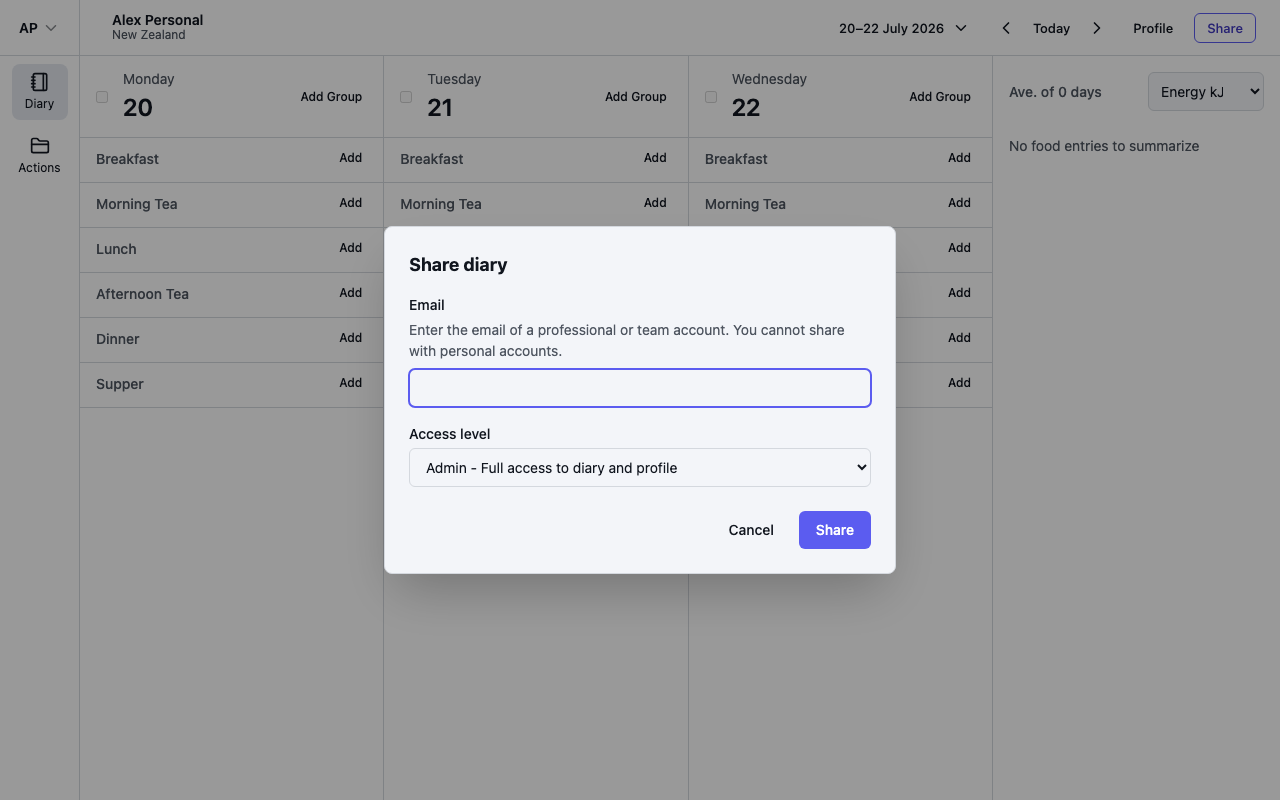
- Open your diary and select Share in the header.
- Enter the email address of their Foodzone account. It must be a Professional or Team account — you cannot share with Personal accounts.
- Choose an access level and select Share.
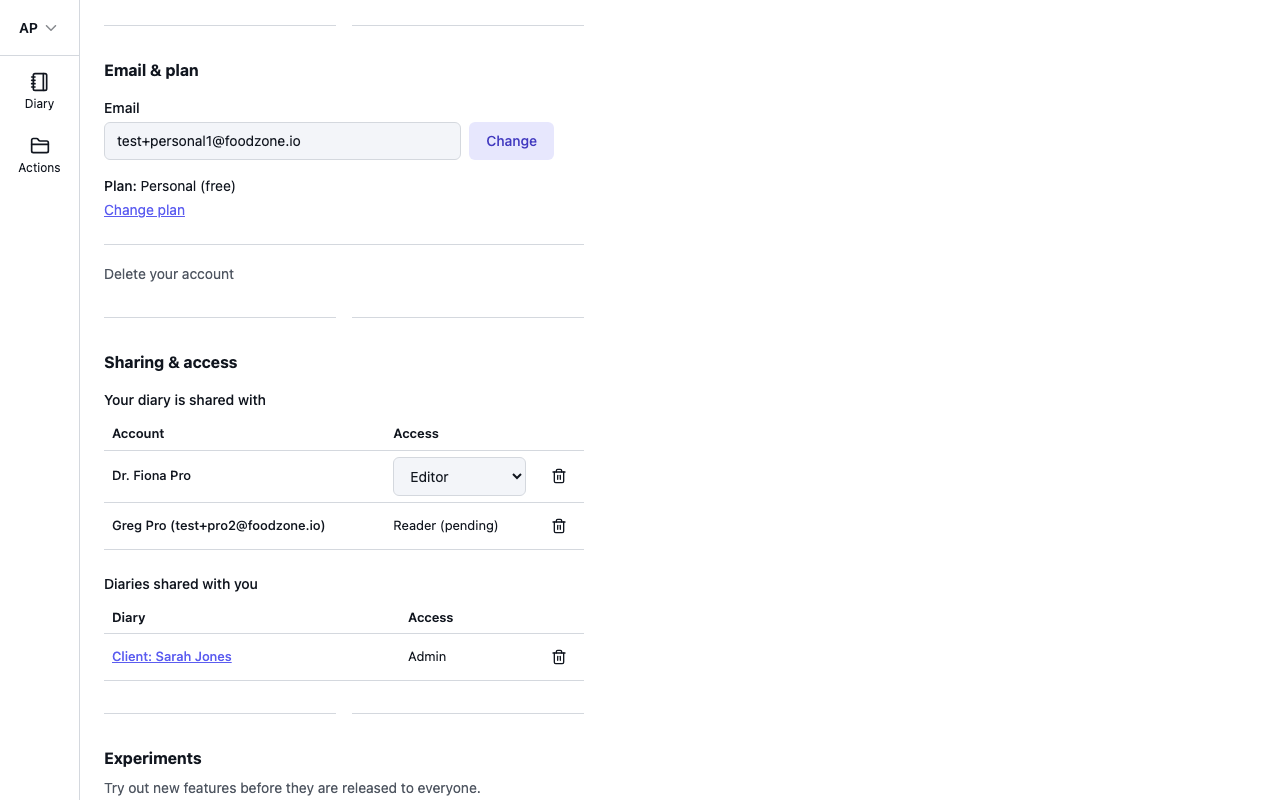
They receive an email invitation. Nothing is shared until they accept — until then their access shows as pending in your settings.
Access levels
- Admin — full access to your diary and profile.
- Editor — can add and edit diary entries.
- Reader — can view your diary only.
Change or remove access
Open Settings and find Your diary is shared with. Each account you have shared with is listed there:
- Change the access level with the dropdown — the change applies immediately.
- Select the bin icon to stop sharing. They lose access straight away, and this cannot be undone — you would need to share again from your diary.
Sharing with a Team account gives every member of that team access to your diary, not just one person.