A nutrition report compares a profile's average daily intake against its recommended nutrient targets. Reports are available on Professional and Team plans.
Open the report
- Open the diary you want to report on — on a Professional plan, select the person from the People page.
- Select Report in the diary header. The blade opens on the Nutrition tab; the Meal tab holds the meal report.
- The report generates automatically, covering the last 7 days.
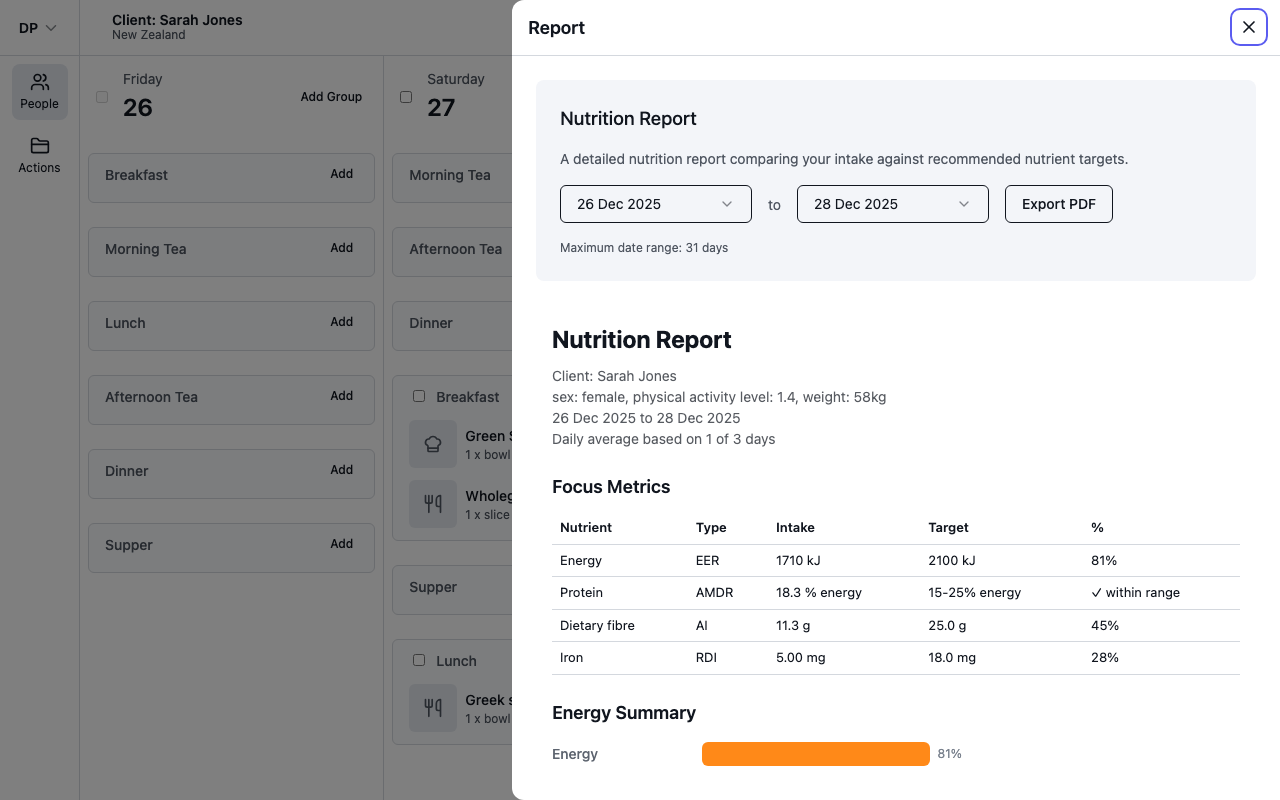
Pick a date range
Use the two date pickers to change the period. The report regenerates as soon as you change either date. A report can cover up to 31 days — longer ranges show "Date range cannot exceed 31 days" instead of a report.
How the numbers are calculated
- The report covers the food and recipe entries in the diary for the selected dates.
- Every value is a daily average, and only days that have entries count towards it. The line under the report title tells you exactly what was averaged — for example "Daily average based on 5 of 7 days" means two days had no entries and were left out, rather than dragging the averages down.
- If there are no food entries at all in the range, the report shows "No food entries to report" — pick a different range.
What the targets are based on
Targets are personalised from the profile's details: age, sex, pregnancy or breastfeeding status, physical activity level and most recent weight. The values used are printed under the report title, so you can always see what the report assumed. See Understand your nutrition report for what each section means.