Your dietitian, nutritionist or other health professional has asked you to keep a food diary in Foodzone. This page takes you from nothing to a diary they can see. It takes about five minutes, and your account is free.
You can use the website, the phone app, or both. They share one account and one diary.
1. Create your account
Start with whatever your health professional gave you:
- A link or QR code. Open it in your browser and select Create an account. Foodzone remembers their practice, so you won't need to type a code in step 2.
- A share code or their email address. Keep it handy for step 2, then:
- On the website: open Create account.
- On your phone: install Foodzone Nutrition from the App Store or Google Play, open it and tap Create account.
Enter your name and email. Foodzone emails you a 6-digit code. Type it on Check your email. There is no password, and signing in later works the same way.
On the website you are then asked How will you use Foodzone? Choose Track my nutrition, which is always free, and select Continue. A short welcome video follows. Select Continue again. The phone app skips both, and so does a link or QR code.
2. Share your diary with your health professional
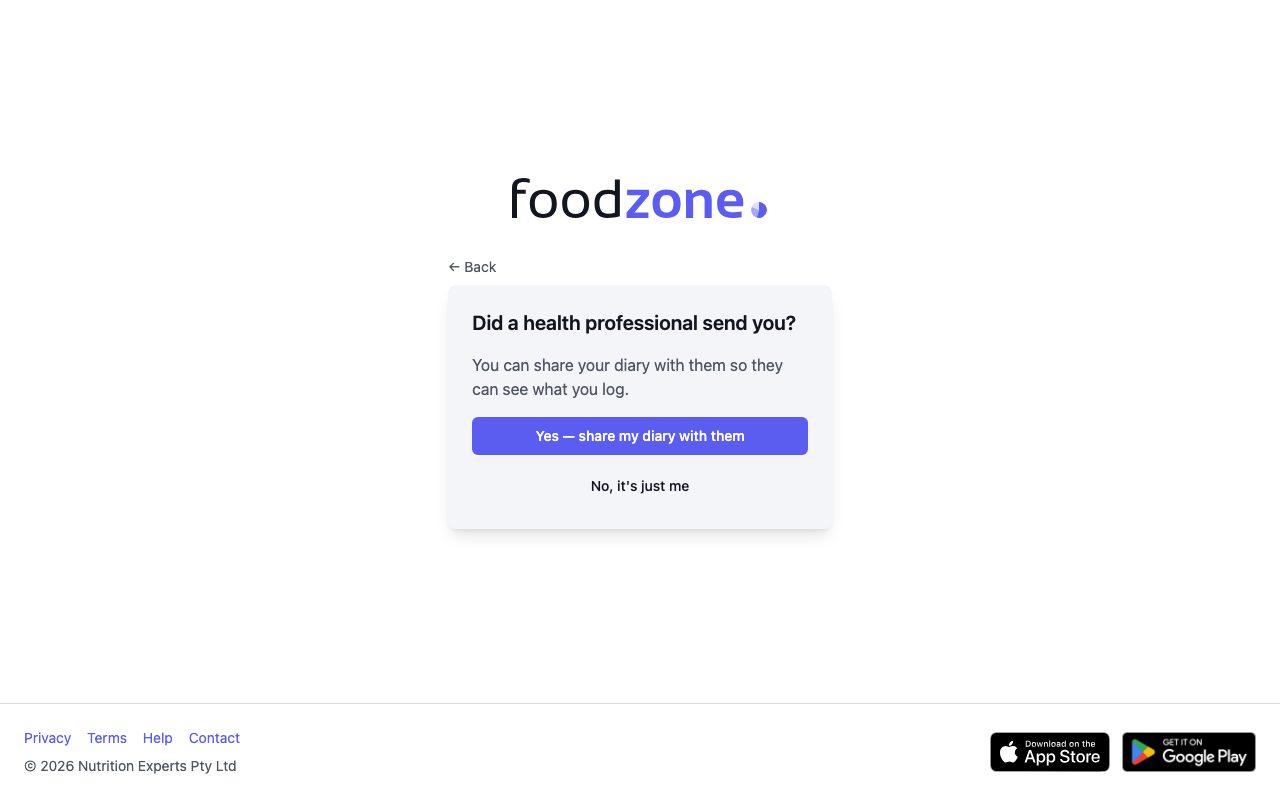
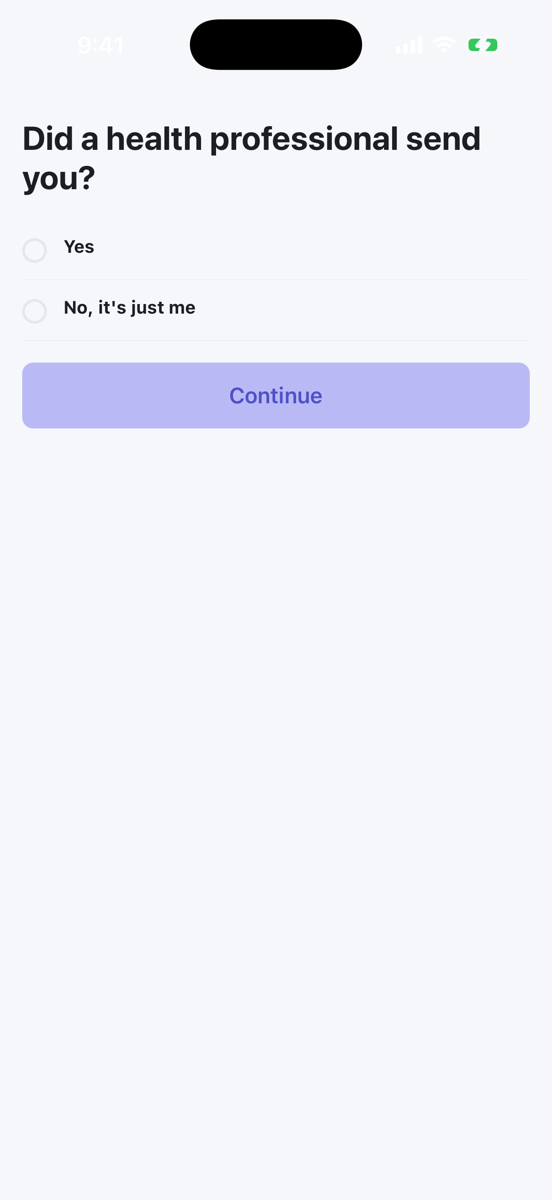
Foodzone asks Did a health professional send you?
- On the website: select Yes — share my diary with them.
- On your phone: tap Yes, then Continue.
On Share your diary with them, enter their email or share code under Email or share code.
- On the website: choose an Access level. Reader lets them view your diary and is already selected. Then select Share and continue.
- On your phone: tap Share and continue. This first share lets them view your diary. You can give them more access later.
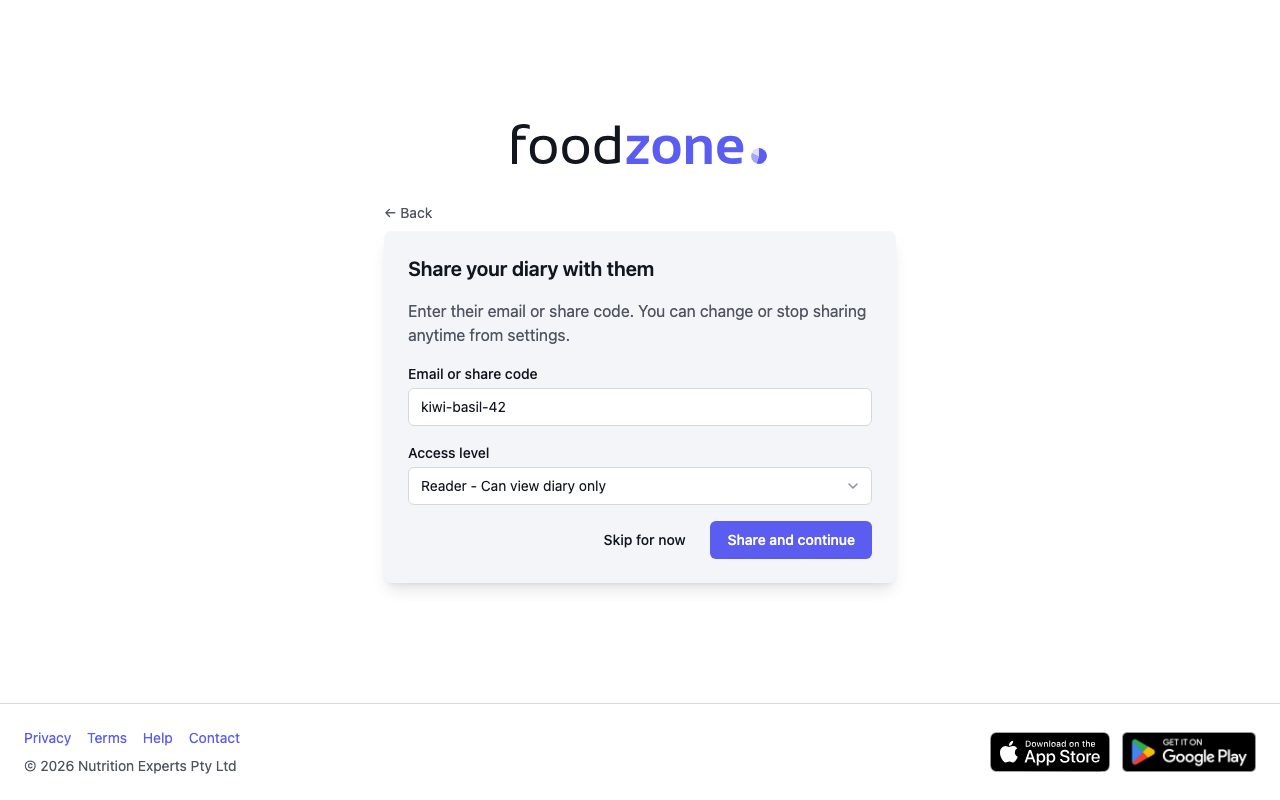
If you opened a link or QR code, you go straight to this step and it already names their practice. Choose an Access level and select Share and continue.
What happens next depends on what you entered:
- Share code, link or QR code: they can see your diary straight away.
- Email: they get an invitation. Nothing is shared until their practice accepts it.
Not ready? Choose Skip for now. You can share later, as described at the end of this page.
3. Complete your profile
Foodzone uses these details to work out your energy and nutrient targets:
- Sex and Date of birth
- Height (cm) and Weight (kg)
- Activity level. Pick the one that best matches your usual week. Activity level guide explains each one.
The website asks for them on one Complete profile page. The phone asks over two screens. You then see Your starting targets. Select Start logging to open your diary.
4. Log what you eat and drink
Your health professional can only work with what is in your diary, so detail matters more than neatness.
- Log as you go. Add each meal when you have it. Yesterday is hard to remember.
- Give the amount. Choose a measure such as a cup, slice or grams, and how many. Weigh or measure when you can.
- Pick the brand. Search for the product by name, or scan its barcode in the phone app.
- Include the small extras. Butter or spread, cooking oil, dressings, sauces, and sugar or milk in tea and coffee.
- Log drinks and snacks too. That includes alcohol, soft drinks and anything eaten between meals.
For how to add entries, see Add food, exercise and biometrics for the website or Log food on your phone.
Skipped the share step?
You can share at any time.
- On the website: open your diary, open the ⋮ menu in the header and select Share. Enter their email or share code, choose an access level and select Share. See Share your diary with a health professional.
- On your phone: open You, then Sharing, and tap Share your diary. See Share your diary from your phone.
Those two pages also explain the access levels and how to stop sharing. You own your diary and can stop at any time.