Foodzone shows energy in kilojoules unless you tell it otherwise. Each profile has an Energy units setting that switches every energy figure — in the diary, the targets and the reports — to calories.
Change the unit
- From the profile's diary, select Profile in the header.
- Under Preferences, select the Energy units row.
- Choose Kilojoules (kJ) or Calories (kcal), then select Done.
- Select Save.
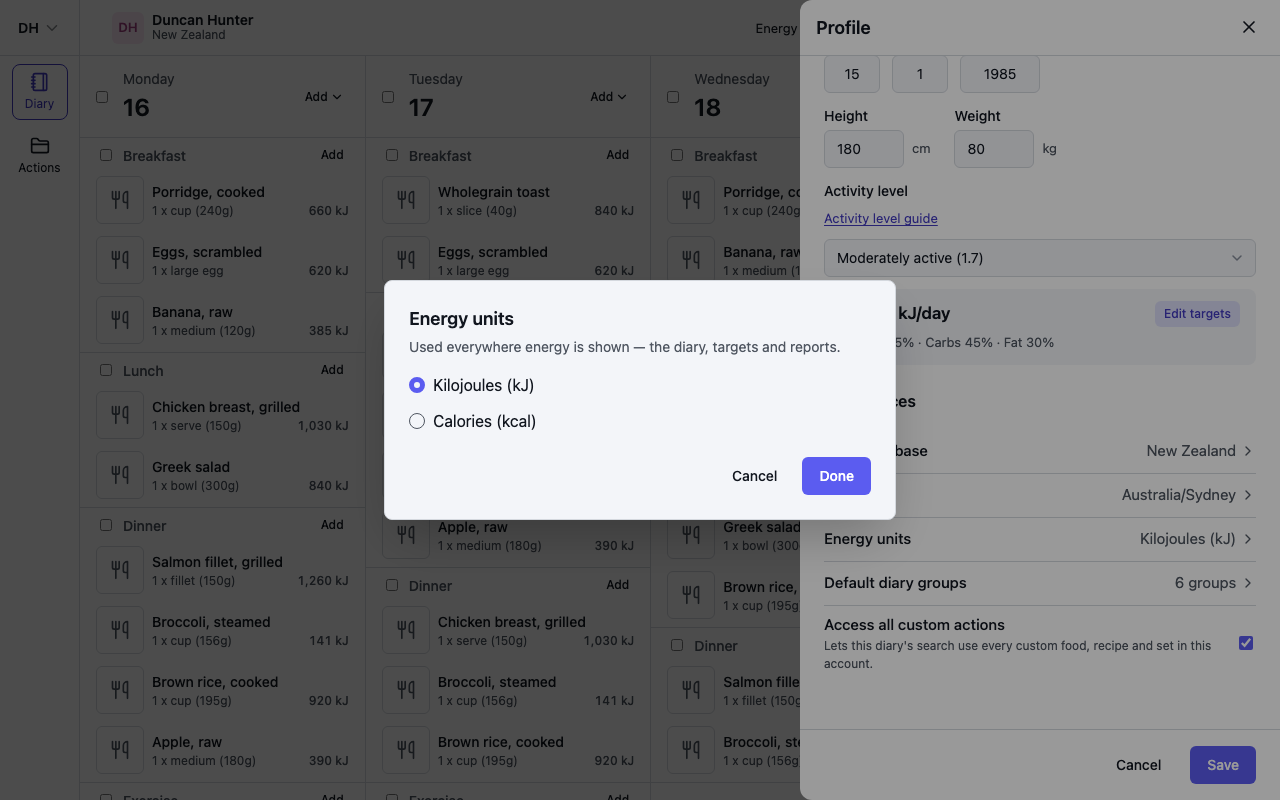
New profiles start in kilojoules.
It only changes how numbers are shown
Energy is always stored in kilojoules. The setting converts figures for display — 1 kcal is 4.184 kJ — so switching back and forth never changes anything you have logged or any target you have set. Numbers you type, such as a custom energy requirement in Targets, are read in the unit you have chosen and stored as kilojoules.
Where it applies
The setting belongs to the profile, not your account, so on a Professional or Team plan each client's diary can use its own unit. Once set it applies everywhere that profile's energy is shown: the diary summary, the Energy row of the Macros targets, nutrient detail, the nutrition report and its PDF.
On your phone
The app uses the same setting, so a change on either side shows on both. In the app, open You, then Profile, change Energy units and tap Save. See Nutrition and targets on your phone.