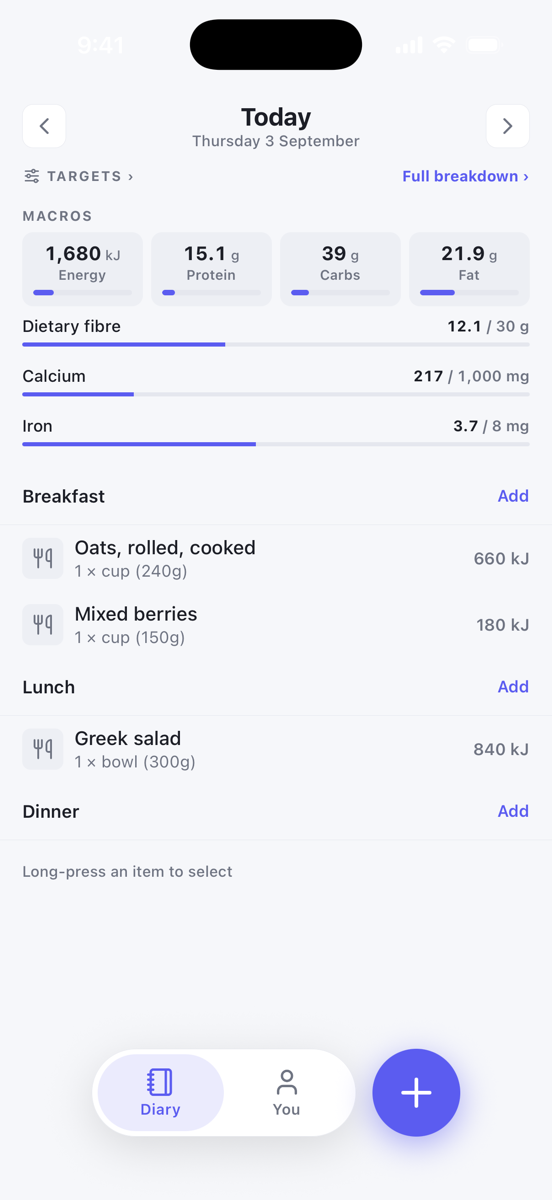
The app has two tabs, Diary and You, plus a round + button beside them. Everything you eat, drink and do goes into the diary for the day you are looking at.
Pick the day
The top of the diary shows the day, with Today when you are on today's date. Use the arrows on either side to move a day at a time, or tap the date to open the calendar. The calendar also lists Days with entries so you can jump back to a day you logged.
Add to a meal
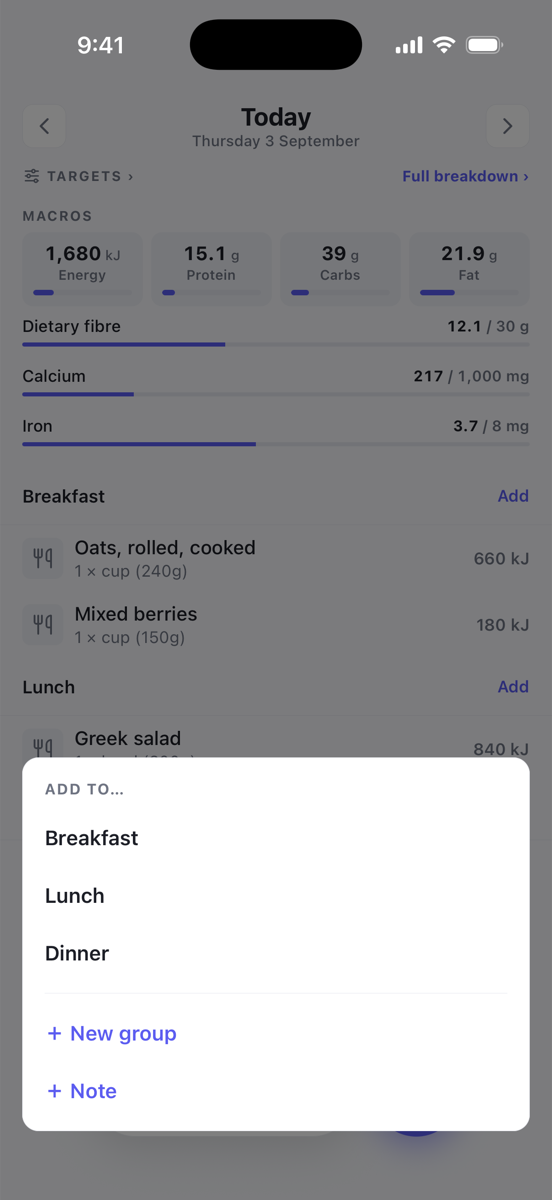
- Tap Add on the meal group you want, or tap the round + button and choose a group from the Add to… sheet.
- Search for the food. The screen is titled with the group it will go into, for example Add to Breakfast.
- Tap a result, set the portion, then tap Add. You return to the diary with the item in place.
Use the pills under the search box to narrow to Food, Recipe, Set, Exercise or Biometric.
Recents before you type
Before you type anything, the search screen shows what you are most likely to want:
- Same breakfast as yesterday copies yesterday's items for this group in one tap. It only shows while the group is still empty.
- Recent lists what you log in this group most, then everything else you have used lately.
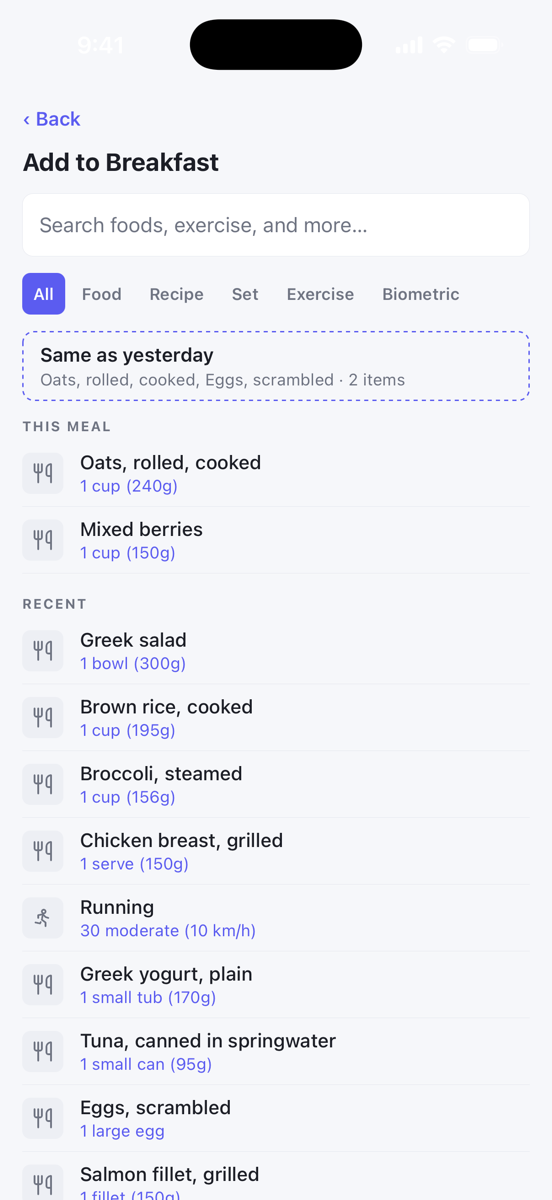
Recent rows remember the portion you used last time. Tapping one adds it straight away with that portion, with no portion screen. Once you start typing, your matching recents stay at the top under Recent, with the full Results underneath.
The portion sheet
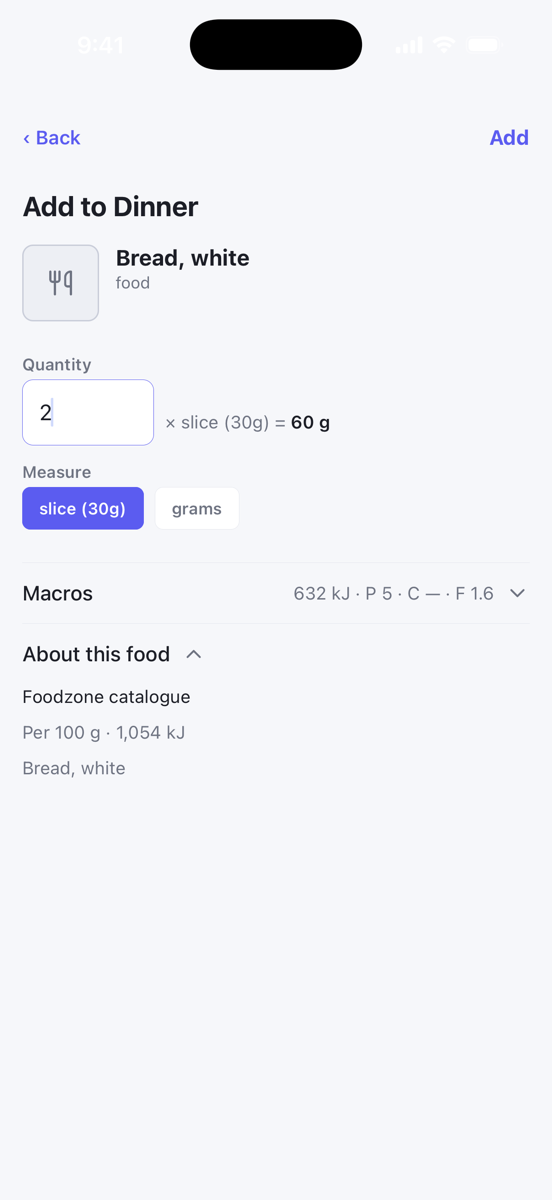
- Quantity is the number of measures. Beside it a live line shows the working, for example × slice (30g) = 60 g.
- Measure chips list the portions available for that food, with the weight on each chip, such as cup · 250g.
- Drinks and other liquids show their measures in millilitres, for example cup · 250mL. A plain grams measure always stays in grams.
- Macros shows energy, protein, carbohydrate and fat for the portion you have set. It updates as you change the quantity or measure.
- About this food shows where the food comes from and its values per 100 g or per 100 mL.
Exercise and biometrics
Exercise and biometrics are logged the same way. Choose the Exercise or Biometric pill in search, then pick from your recents or Browse. For exercise the sheet asks for Minutes and an Intensity. For a biometric such as weight it asks for a Value and a Unit.
The app does not read from Apple Health or Health Connect. Everything is entered by hand.
No connection
The app needs an internet connection. If you are offline you see You're offline with a Try again button. Nothing is lost: your diary is stored on the server, not on the phone.