Your recents appear before you type
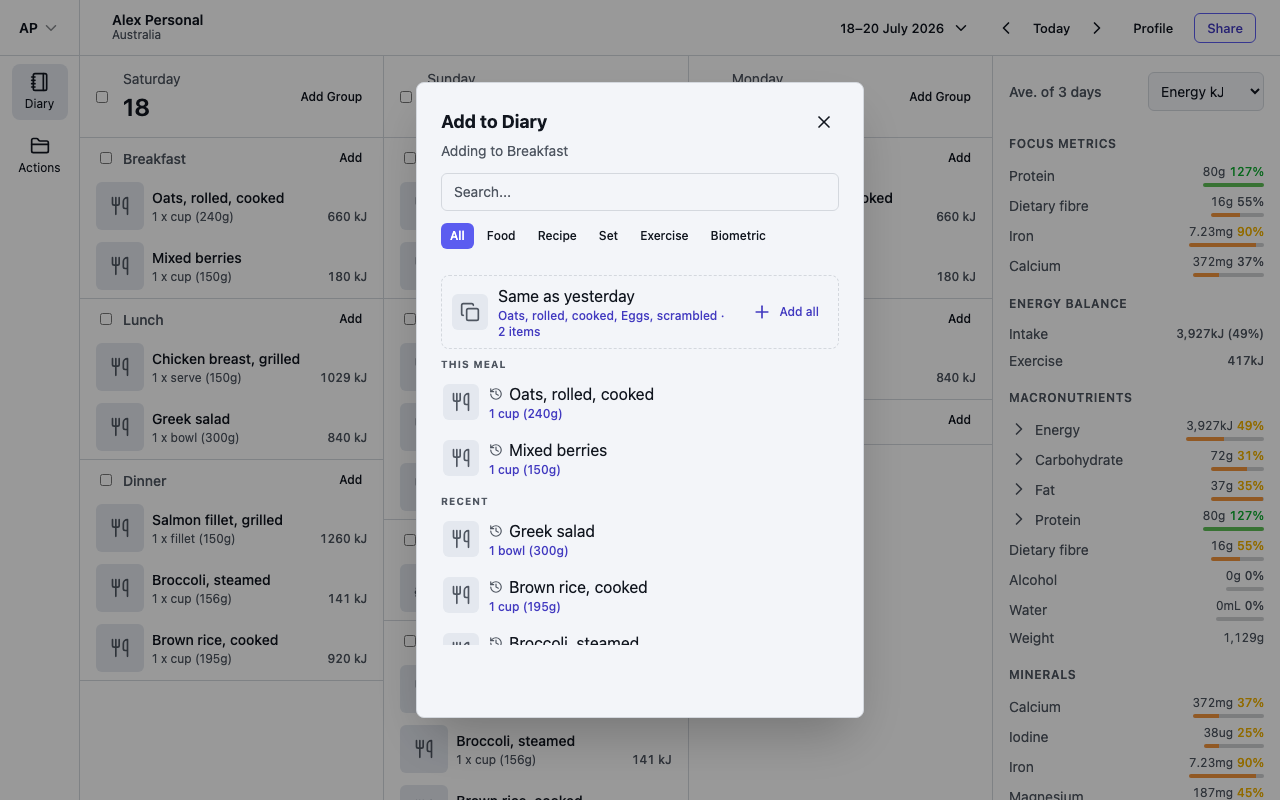
Select Add on a group and, before you type anything, the dialog shows a Recent list of what you're most likely to log. Items you have logged in this group at least twice in the last 90 days come first, then everything else you have logged recently, with the items you use most often at the top.
Each row shows the portion you used last time, such as 1 medium (180g).
Quick add and Undo
Tap a recent item and it is added straight away with its last portion — no portion screen. A confirmation appears, for example Added Apple, raw · 1 medium (180g), with an Undo button that removes it again.
To use a different portion this time, select the small history icon on the right of the row instead — that opens the normal portion screen.
If an item has no recent history, Foodzone asks you to set the portion first.
Same as yesterday
If the group is still empty and the same group has entries on the previous day, a line such as Same breakfast as yesterday · 4 items appears at the top of the list. Select Add all to copy the whole group across in one go — handy if breakfast rarely changes. This also shows a confirmation with Undo. Once the group has anything in it the line goes away, so you never double up.
Recents while searching
Once you start typing, your best-matching recent item stays pinned under a Recent heading above the full Results list, so your usual choice is always one tap away.