A set is a bundle of items you log together — your usual breakfast, a pre-training snack, a supplement stack. Instead of adding each item to the diary one by one, you add the set once and every item lands in the meal group.
On the Actions page select Add action, choose Set and the food database, then Create.
Add items
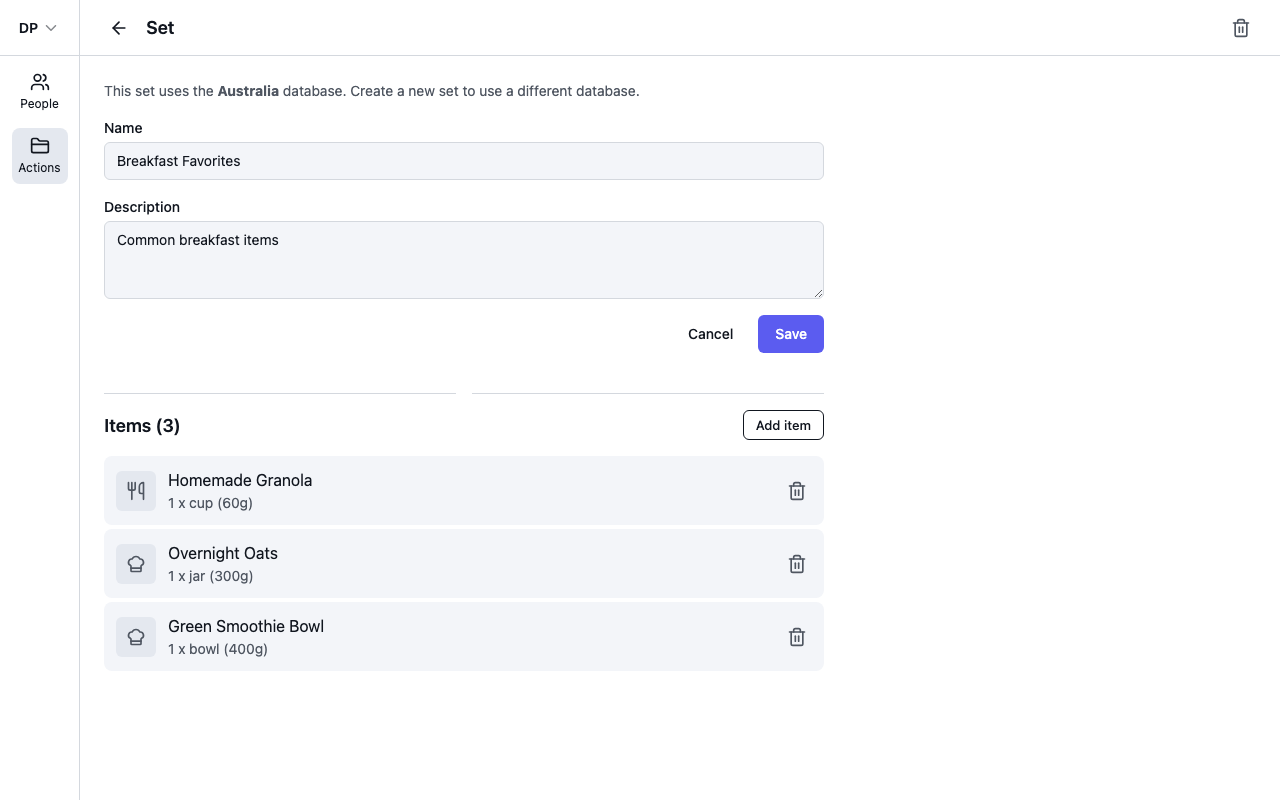
- Give the set a Name and optional Description, and select Save.
- Next to Items, select Add item.
- Search for what to include — filter by Food, Recipe, Exercise or Biometric. Your custom foods and recipes are included alongside database items.
- Set the quantity — a Quantity and Measure for foods and recipes, a Duration and Intensity for exercises — and select Add to Set.
Each item keeps its own quantity, so the set records exactly what "your usual breakfast" is: one cup of granola, one jar of overnight oats, and so on. Use the bin icon on an item to remove it.
Add a set to the diary
In the diary, open Add to Diary, search for the set (the Set chip filters to sets only) and add it. All the set's food and recipe items are added to the meal group in one go, each as its own diary entry — so you can still adjust or remove individual items afterwards.
Diary entries are copies: editing a set later changes what gets added next time, not what's already in the diary.