Enter a code at checkout
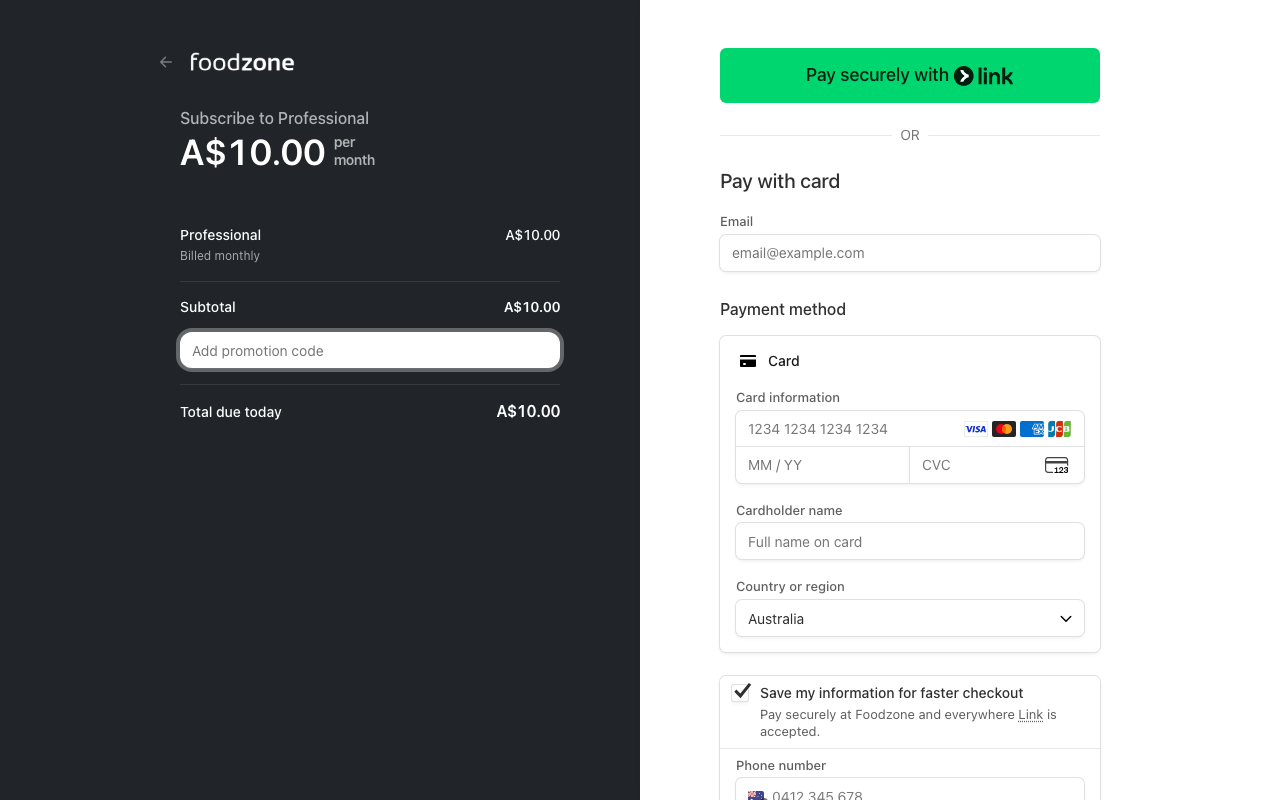
If you have a promotion code, you can enter it on the payment page when you subscribe:
- Choose your plan — checkout opens on our payment partner, Stripe.
- Select Add promotion code, type your code and it is applied to the total straight away.
- Complete the payment as normal.
Add a code after you have subscribed
- Open Settings (your initials, top left, then Settings).
- Under Email & plan, select Coupon code and enter it in the dialog.
- Enter the code. It applies to your next invoice, and Settings shows the discount and when it ends.
A plan can carry one discount at a time. To swap or remove a discount, use Change or Remove beside it on Settings.
Student and teacher discounts
Studying or teaching nutrition? We offer discounts:
- Email us at help@foodzone.io from your institutional email address and let us know whether you are studying or teaching.
- We send you a code. Enter it at checkout, or from Settings if you have already subscribed. Discounts run for 12 months.
- About a month before your discount ends we email you an Extend my discount link. One click extends it for another year — no need to write to us. The same button shows on your Account page.
- A discount can be extended twice, which covers a three-year course. If you are still studying after that, email us from your institution address.
If you don't extend your discount, your subscription simply ends with it. You are never moved to the full price without choosing it, and your account and data are kept.
If you have been given a discount and it is not showing on your bill, contact us and we will sort it out.