You own the data you put into Foodzone — your diary, profiles, custom foods, recipes and sets. This page is an honest account of what you can take out today.
What you can download today
A nutrition report as a PDF. On a Professional or Team plan, run a report for any date range of up to 31 days and select Export PDF. The PDF holds the profile's details, the Targets table, every nutrient section and the macronutrient charts. See Export a report as a PDF. Reports are not available on the free Personal plan.
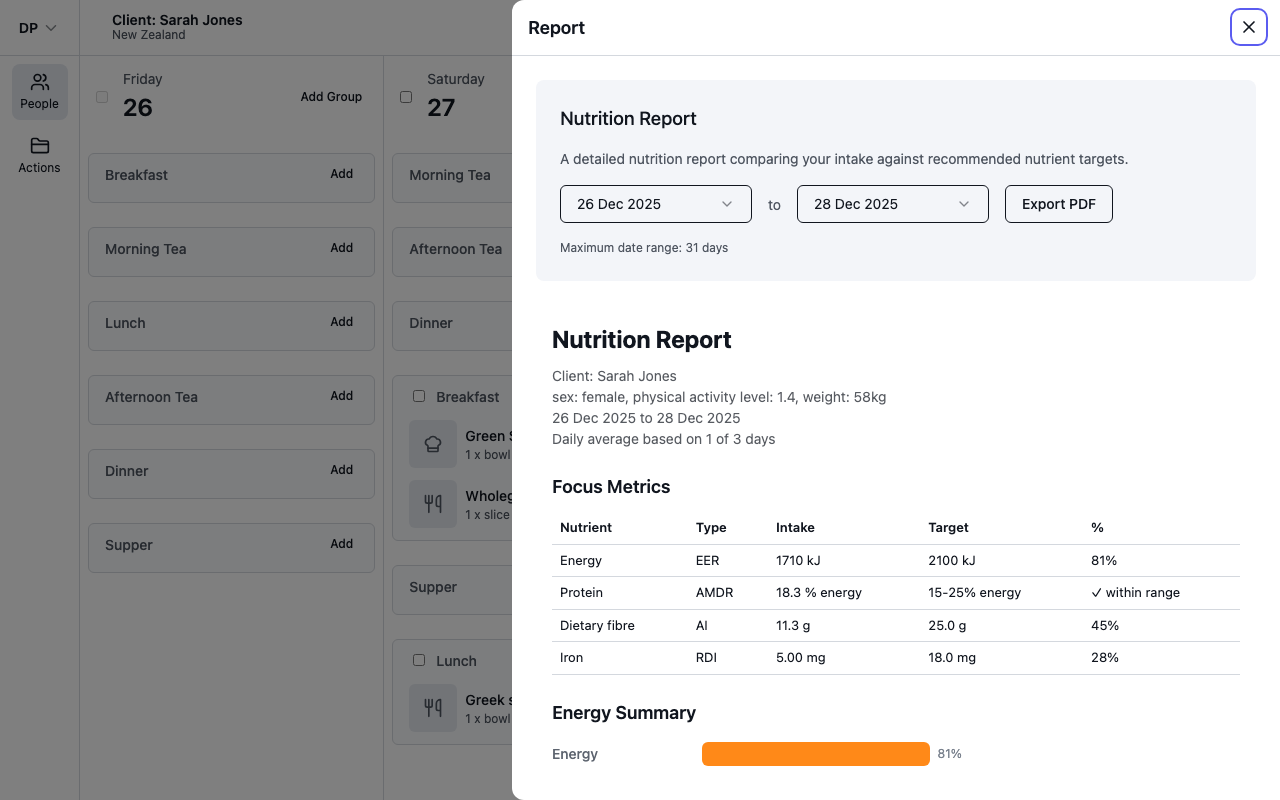
A printed copy. On a Professional or Team plan you can also print the on-screen report from your browser, or use its "Save as PDF" print option.
There is no spreadsheet, CSV or JSON download of your diary, and no download of your custom foods, recipes or sets. We know people ask for this, and it is on the list.
Request a full copy
Under our privacy policy you have the right to a copy of your personal information, on any plan. To request one, email help@foodzone.io from the address on your account and say which profiles you need. We will reply from support with your data.
Sharing instead of exporting
If the aim is to get your diary in front of a dietitian or practitioner, sharing does that without a download. See Share your diary.
What deleting your account does
Deleting your account does not give you a copy of anything, so export or request what you need first.
- Open Settings and select Delete your account at the bottom of the page.
- Enter your email address to confirm and select Delete my account.
You have 30 days to recover the account by signing in again. After 30 days your profile, diary entries, custom foods, recipes and sets are permanently deleted. Foods you suggested that were accepted into the database stay, with your name detached; suggestions still under review are deleted.
The full picture is in our privacy policy and terms.