How groups work
Each diary day is organised into meal groups. New accounts start each day with Breakfast, Lunch and Dinner; longer-standing accounts may also have Morning Tea, Afternoon Tea and Supper. Groups belong to a single day, and each group has a time that sets its order within the day.
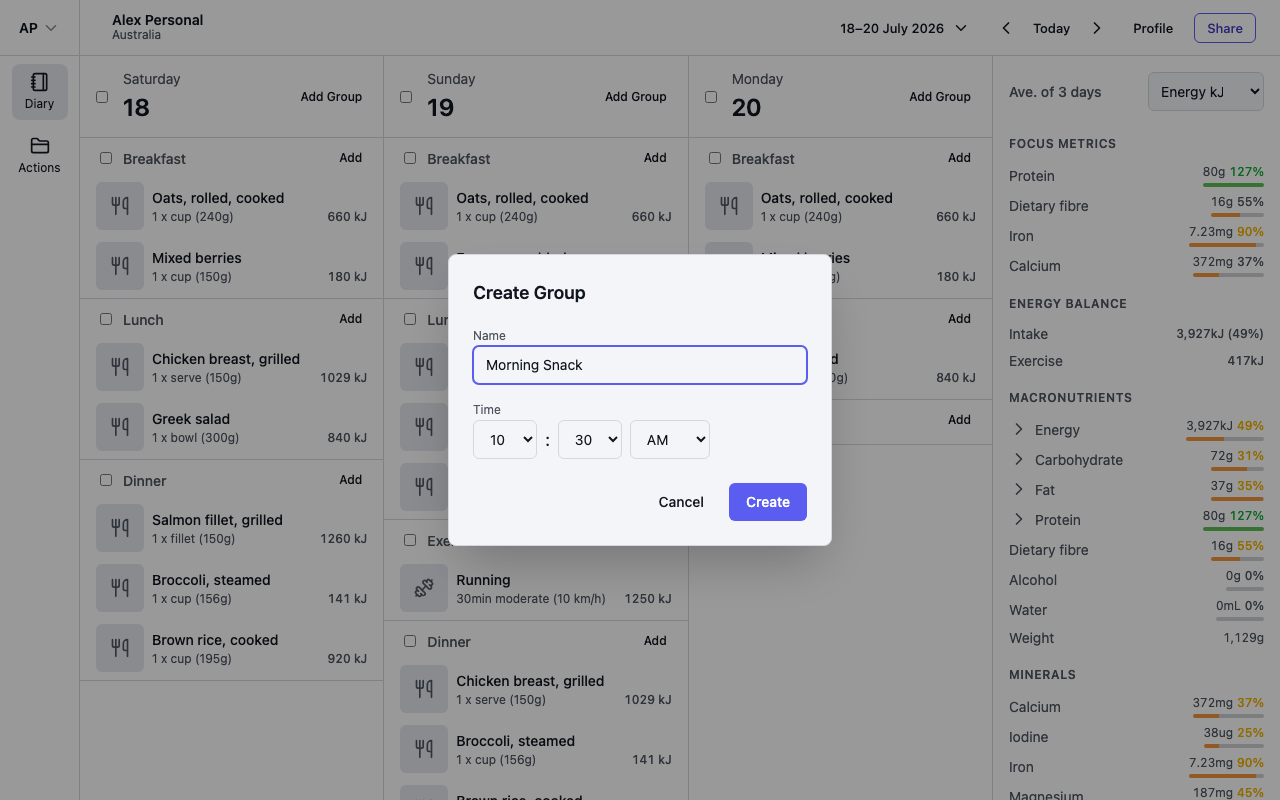
Add a group
- Select Add in a day's header, then Group.
- In the Create Group dialog, enter a Name — for example, Morning Snack — and a Time.
- Select Create — the group appears on that day, ordered by its time. Use the group's Add button to log something into it.
Rename, re-time or delete a group
Select the pencil icon in a group's header to open the Edit Group dialog. Change the name or time and select Save, or select the trash icon to delete the group.
Deleting a group also deletes the entries in it, and it only affects that day — default groups still appear on other days as usual.
Move a whole group
Drag a group by its header to another day on screen to move the group and everything in it. You can also drag it above or below other groups to reorder within a day — the group's time updates to match.